Sellerio is free with the app.
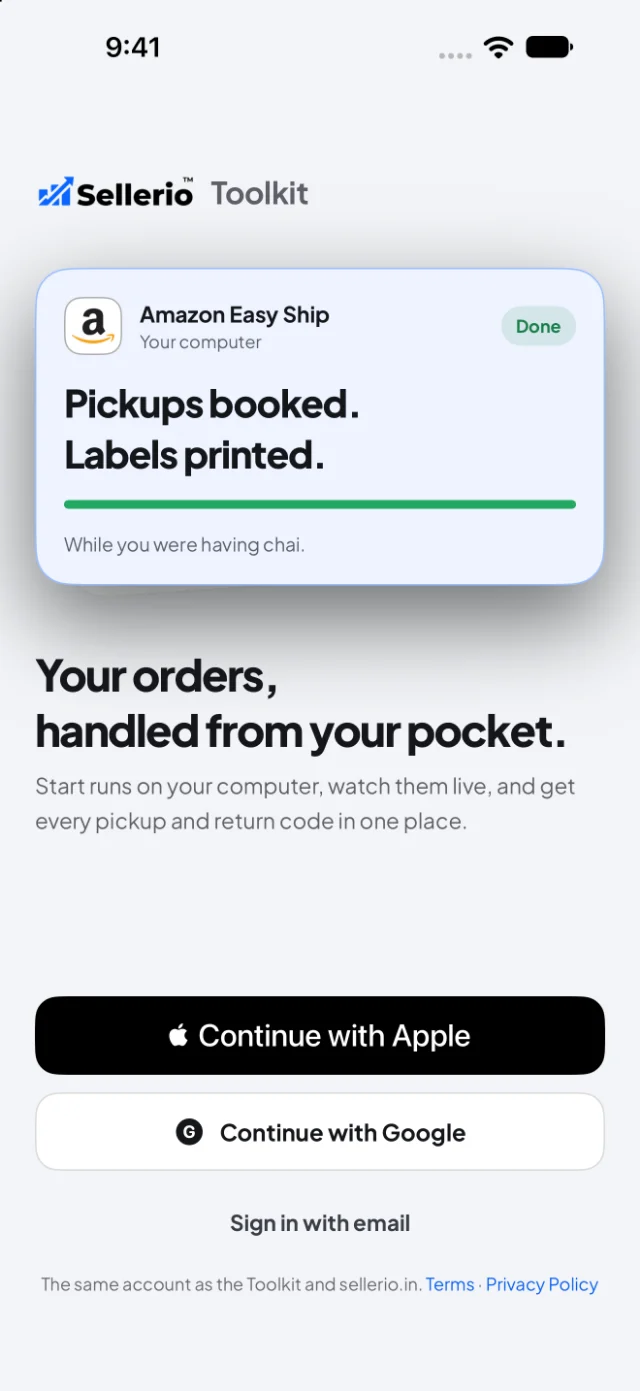
Your orders keep moving, wherever you are4. Start a run on the computer you choose, get today’s pickup and return codes from every computer, and see each run’s report on your phone.
- Every feature switched on, on every marketplace
- Unlimited stores and computers
- A few short ads in the app keep it free. Paid plans have none
Coming soon
On your phone, open sellerio.in/app.
Every feature on
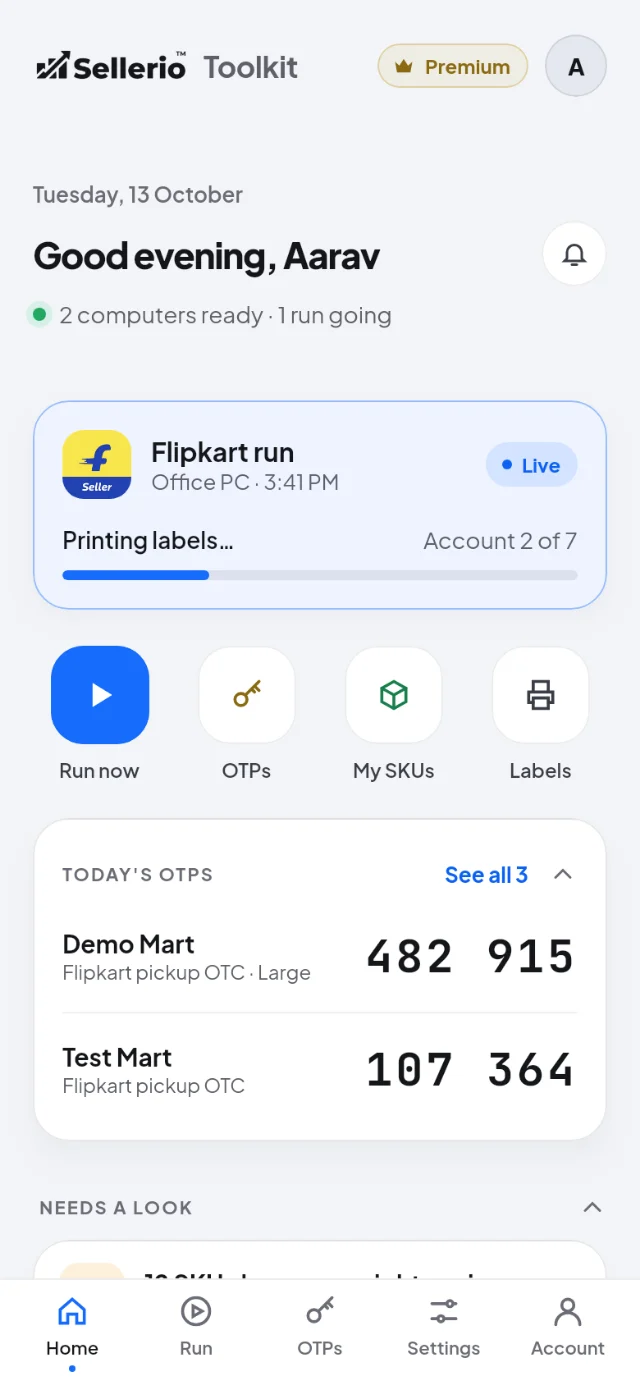
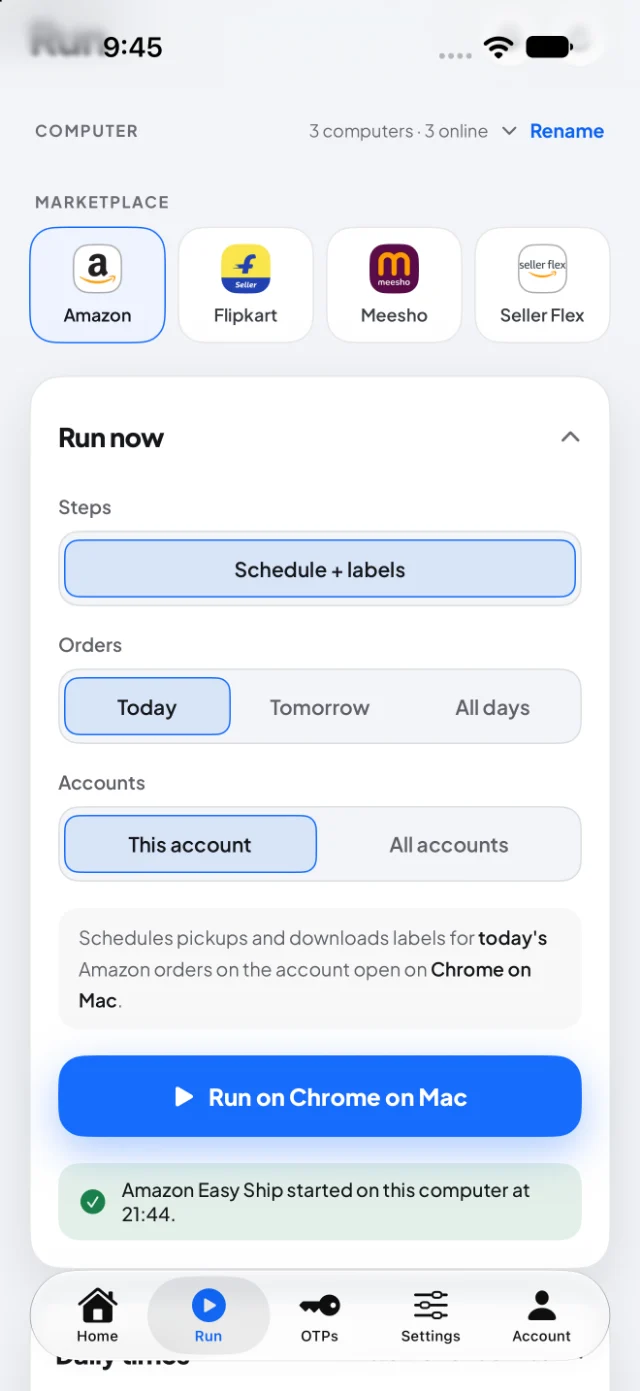
Run from your phone
Press Run and the computer you choose does the rest: accept, labels, pick lists.
Today’s codes
Pickup and return OTPs and OTCs from every computer, in one place.
Every run’s report
A notification when a run ends, with what it did on each account.
How Sellerio stays free
The free plan shows a few short ads inside the Sellerio app. They never show on Amazon, Flipkart or Meesho, on your labels or on your Orders cards.
Your Toolkit, one tap away.
The app starts and checks on runs; the orders, labels and printing still happen in Chrome on your computer.
Start a run on your computer
Pick the computer, the marketplace, the steps and the day, then press Run now. The Toolkit on that computer starts it at once, the same way its own Orders card would.
- Today, tomorrow or all days, one account or all
- Watch it as the card shows it, and Stop it from your phone
- Answer a weight and size ask, and the run carries on
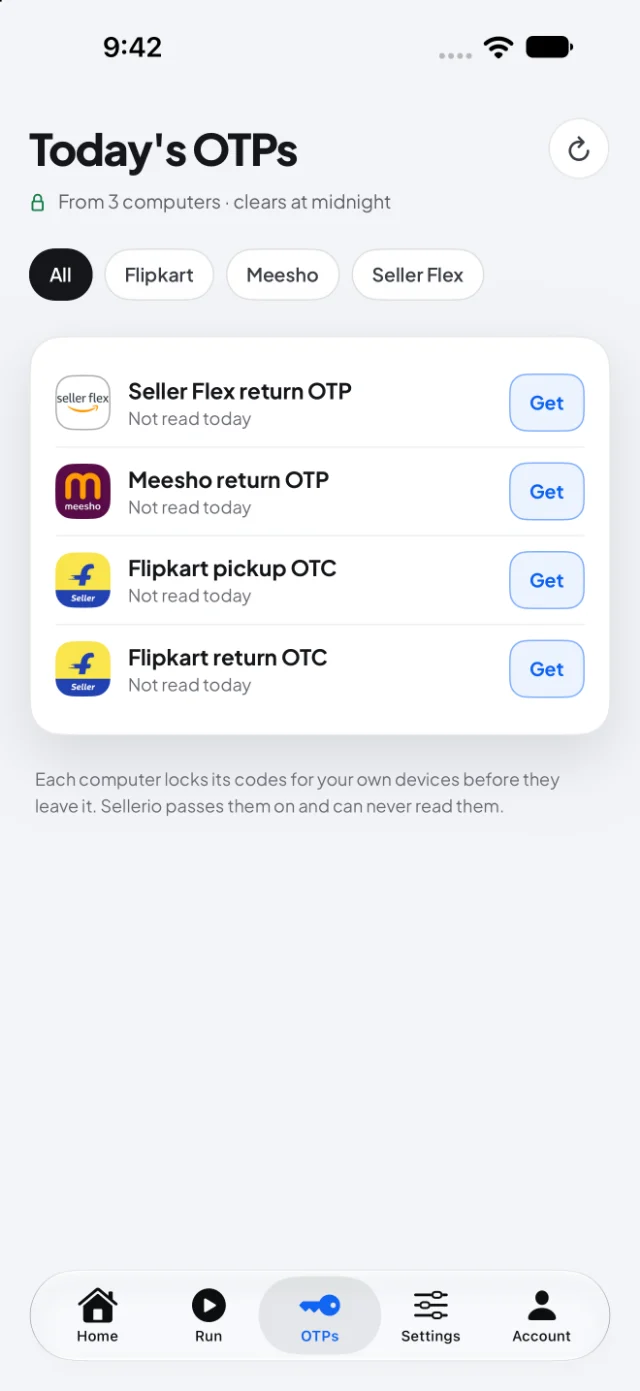
Today’s pickup and return codes, from every computer
Flipkart pickup and return OTCs, Meesho and Seller Flex return OTPs, read on any of your computers and shown on your phone for the courier, on plans that include them.
- Every warehouse and store, in one list
- Sealed on the way, and gone at India’s midnight
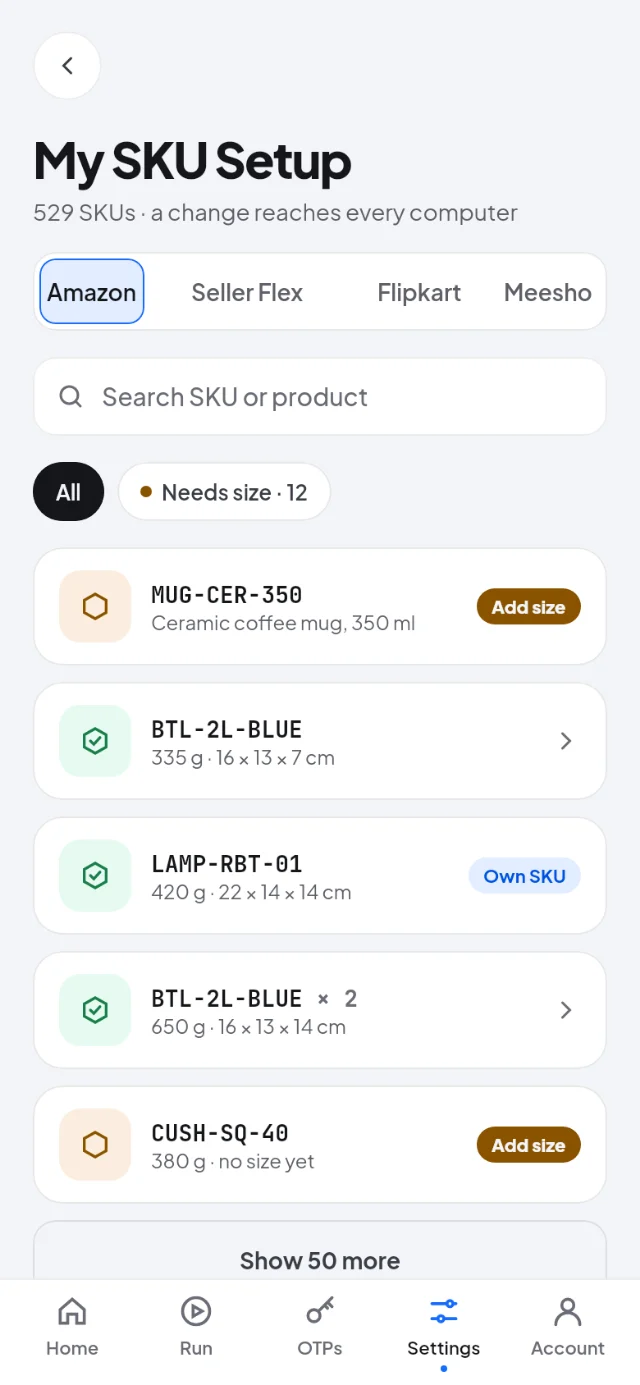
My SKU Setup, in your pocket
Edit your SKUs, IMEIs and Tag IDs from your phone: a weight, a size, a custom SKU for the label. Every computer has it on its next run.
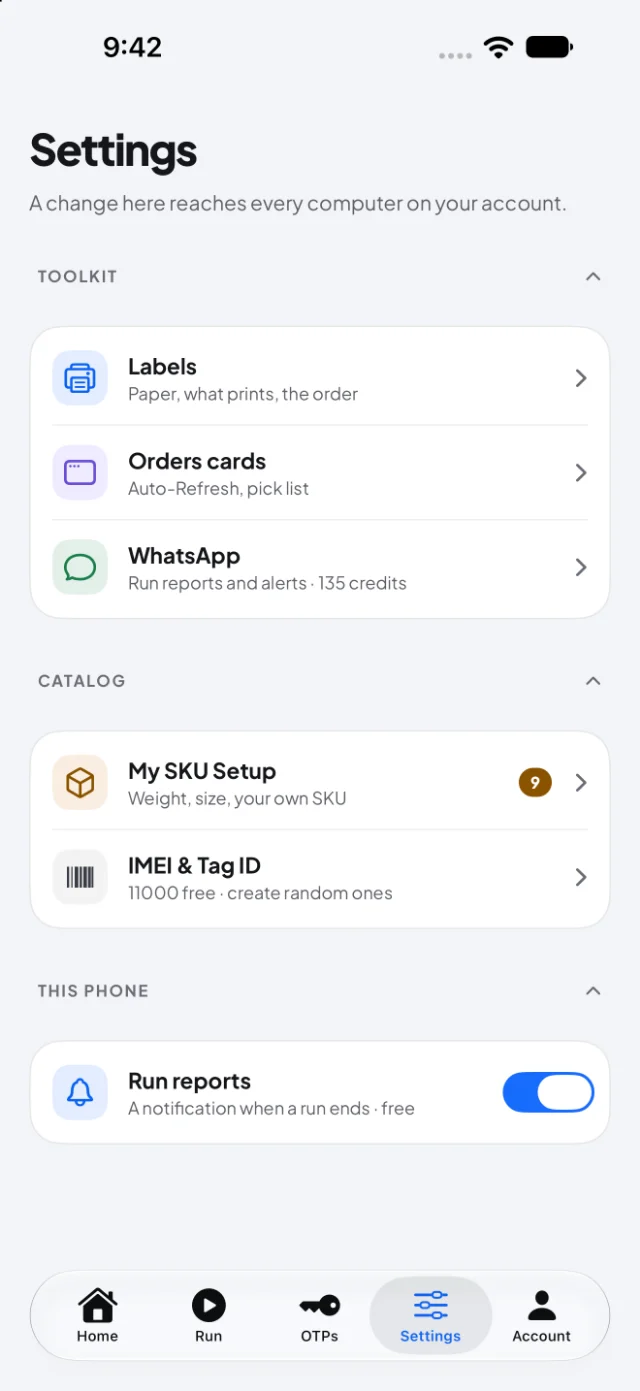
Settings that reach every computer
Label settings and Orders card switches. Change one on your phone, and every computer signed in to your account follows.
Run reports as notifications
When a run finishes, or the Toolkit needs you, your phone tells you.
Daily times for each computer
See, add, change or remove each computer’s daily times, for each marketplace.
A reports inbox
Every finished run kept in one place, the newest first. Open one to read it whole.
The Toolkit runs in Chrome. The app runs the Toolkit.
- 1
Add the Seller Toolkit to Chrome on your computer, and sign in.
Add to Chrome — free - 2
Install the app on your phone, and sign in with the same email, or with Google.
- 3
Open Run in the app, and pick your computer.
Step away from the desk. Your runs don’t.
Free to download. Sign in with the account you already use for the Seller Toolkit.
Coming soon
On your phone, open sellerio.in/app.
Apple and the Apple logo are trademarks of Apple Inc., registered in the U.S. and other countries. App Store is a service mark of Apple Inc. Google Play and the Google Play logo are trademarks of Google LLC.